Msafer
Recently, cases of personal information being collected and misused through mobile phones have been reported, including mobile banking, simple payment services, and phone numbers stored in vehicles.
Recently, cases of personal information being collected and misused through mobile phones have been reported, including mobile banking, simple payment services, and phone numbers stored in vehicles.
Key Points

Is your mobile phone really safe? If you want to know, let me introduce Msafer, a service that prevents identity theft. We sometimes see people caught up in identity theft through internet news, and cases are commonly reported where someone uses another person's identity without their consent. Let me explain Msafer in detail below.
- Identity Theft Methods
- It is known that fraudsters create counterfeit IDs using lost ID cards or leaked personal information, combined with photos of similarly aged individuals found online. While phone carriers verify resident registration numbers and issuance dates when activating a phone, it is reportedly difficult to match these with the actual ID holder. Using these methods, mobile phone identity theft appears to be occurring.
Detailed Explanation
- Identity Theft Damages
- It is reported that approximately 30% to 40% of identity theft cases involve fraudulent loans taken out using someone else's phone account. Cases of Google Play Store payment fraud using activated SIM cards have also been reported. Many news articles cover identity theft damages, and the financial losses involved are reportedly beyond imagination. Since anyone can become a victim of mobile phone identity theft, extra caution is needed.
- Introduction to Msafer
- Msafer is a service that notifies you by SMS when you first subscribe to various telecommunication services (mobile phone, internet, landline, cable TV, etc.), informing you whether the subscription is being made under your name. Msa
How to Use
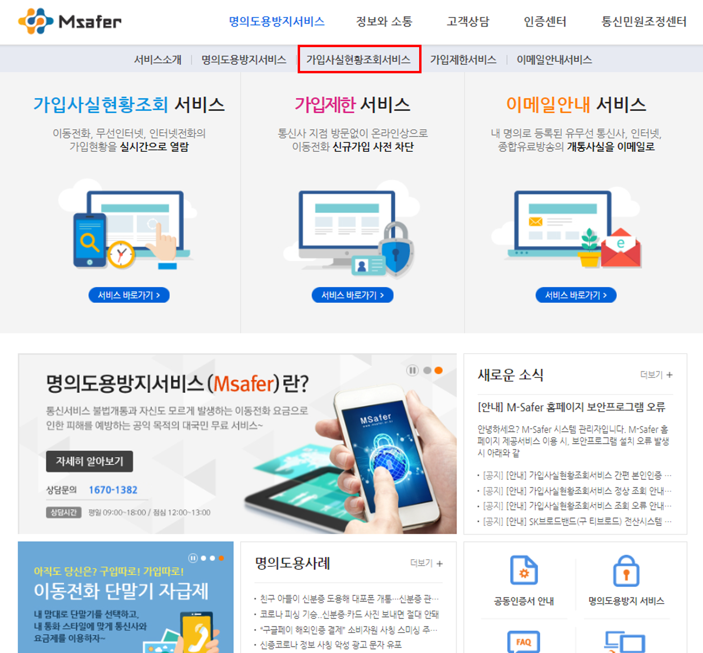
fer website (www.msafer.or.kr) is reported to offer various additional services, including subscription status inquiry, identity theft prevention service, subscription restriction service, and email notification service. Msafer is a free service provided to prevent identity theft damages. Now that you know about Msafer, it is a good idea to visit the website and check what services have been activated under your name.
- Signing Up for Msafer Identity Theft Prevention Service (How to Check Mobile Phone Identity Theft)
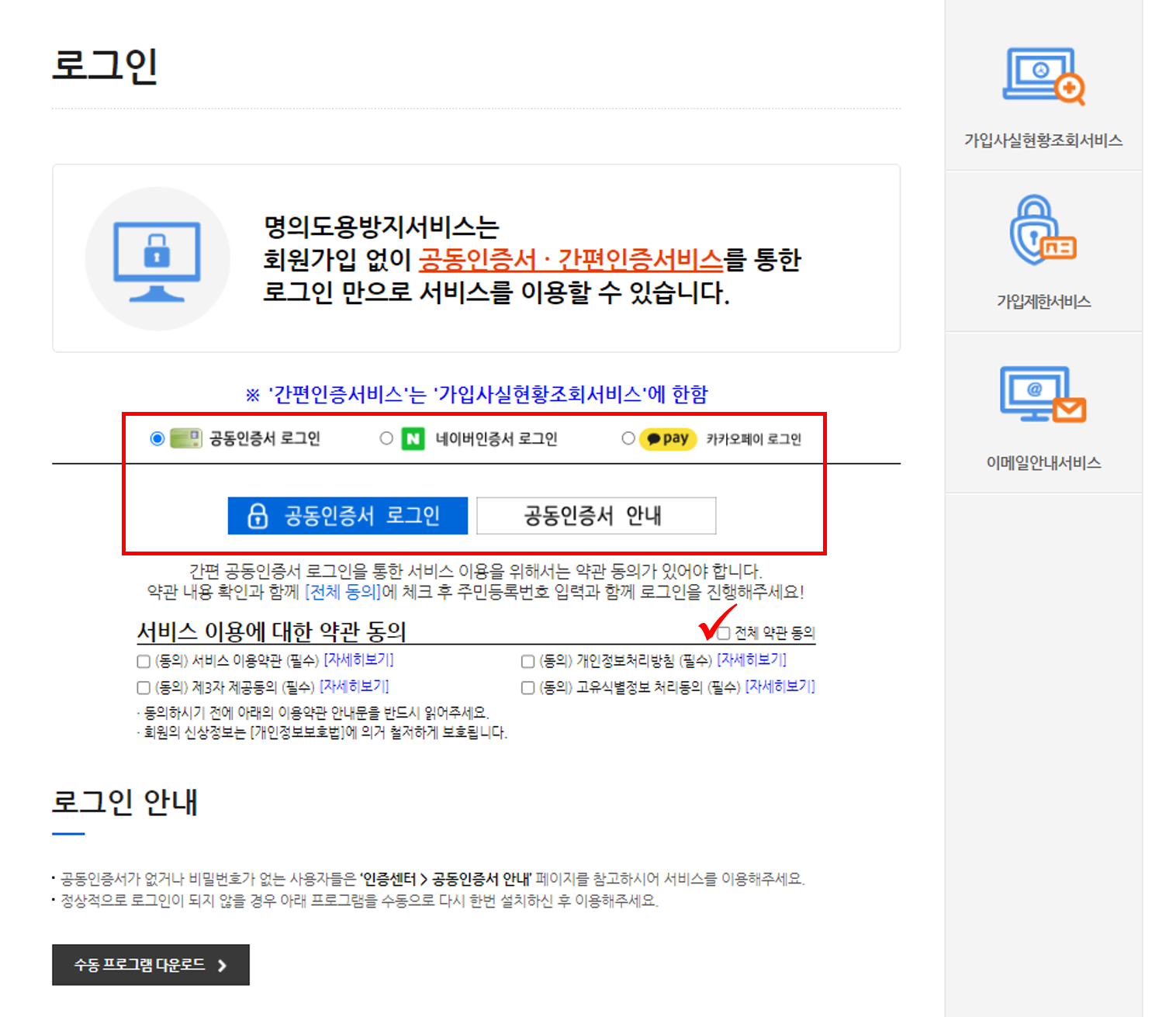
- The first thing to do is to immediately verify whether any unauthorized activations have occurred. Confirming what has been registered under your name is the top priority. Visit the Msafer website, go to the [Identity Theft Prevention Service] menu at the top, and select [Sub
Additional Information
scription Status Inquiry Service]. At this point, Msafer login is required, and three simple authentication options are available: accredited certificate login, Naver certificate login, and KakaoPay login. Msafer recommends logging in via accredited certificate, and it is reported that you can securely log in after agreeing to the terms of service. I recently obtained a Naver certificate and used that option. You will need to enter your name and resident registration number. You must also agree to the terms of service at this stage. (The required terms must be checked for authentication to proceed.)
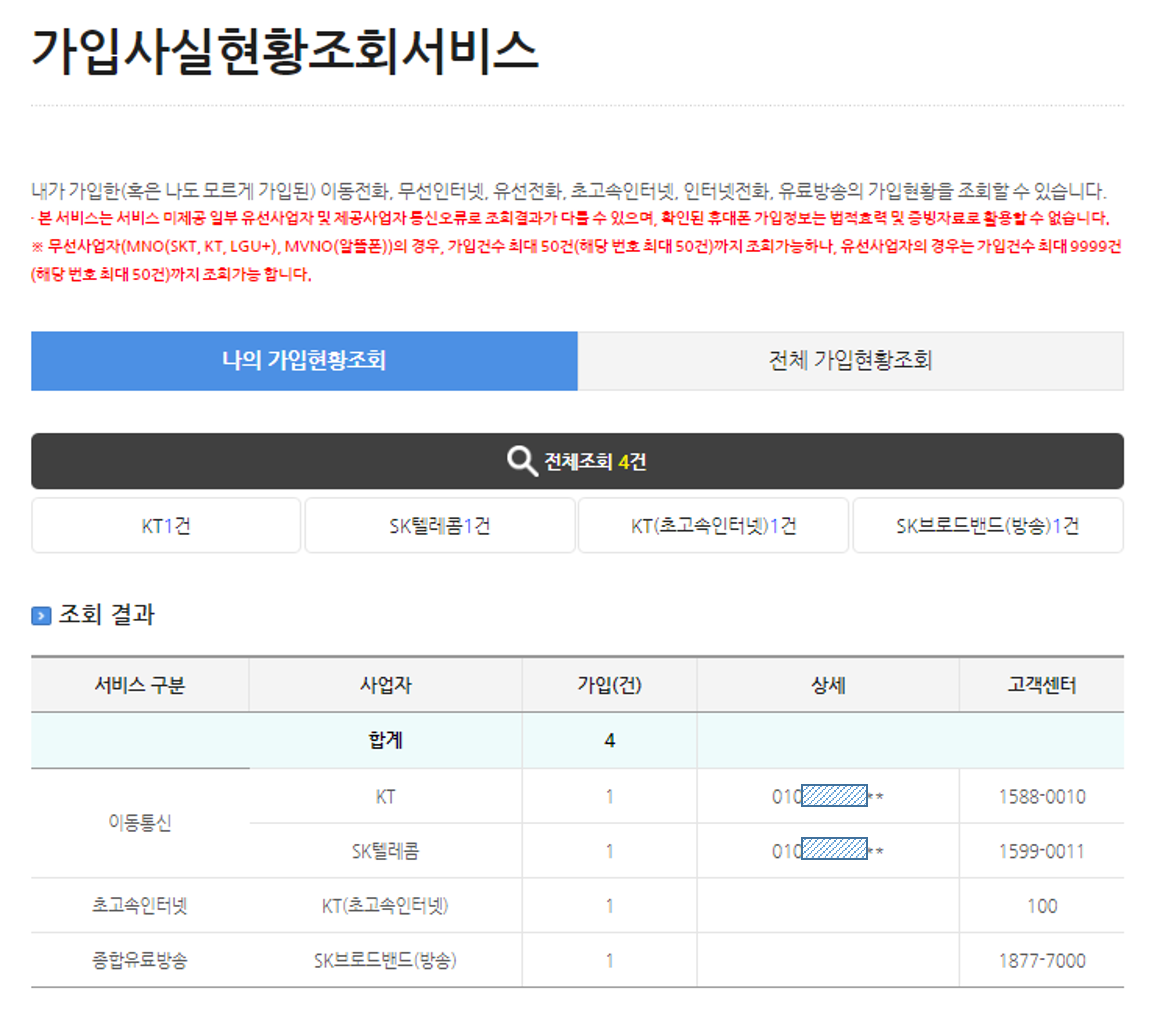
Once login is complete, you can view the list of mobile phones, inter
In-Depth Information
net connections, landline phones, and other services registered under your name on Msafer. Below is the result of my own inquiry. I use KT as my mobile carrier, but one SK Telecom line appeared. It turned out to be a phone that was activated as a test device at a previous employer, which I had forgotten about. Upon finding out, I immediately decided to cancel it. I'm really glad I wrote about Msafer today :)
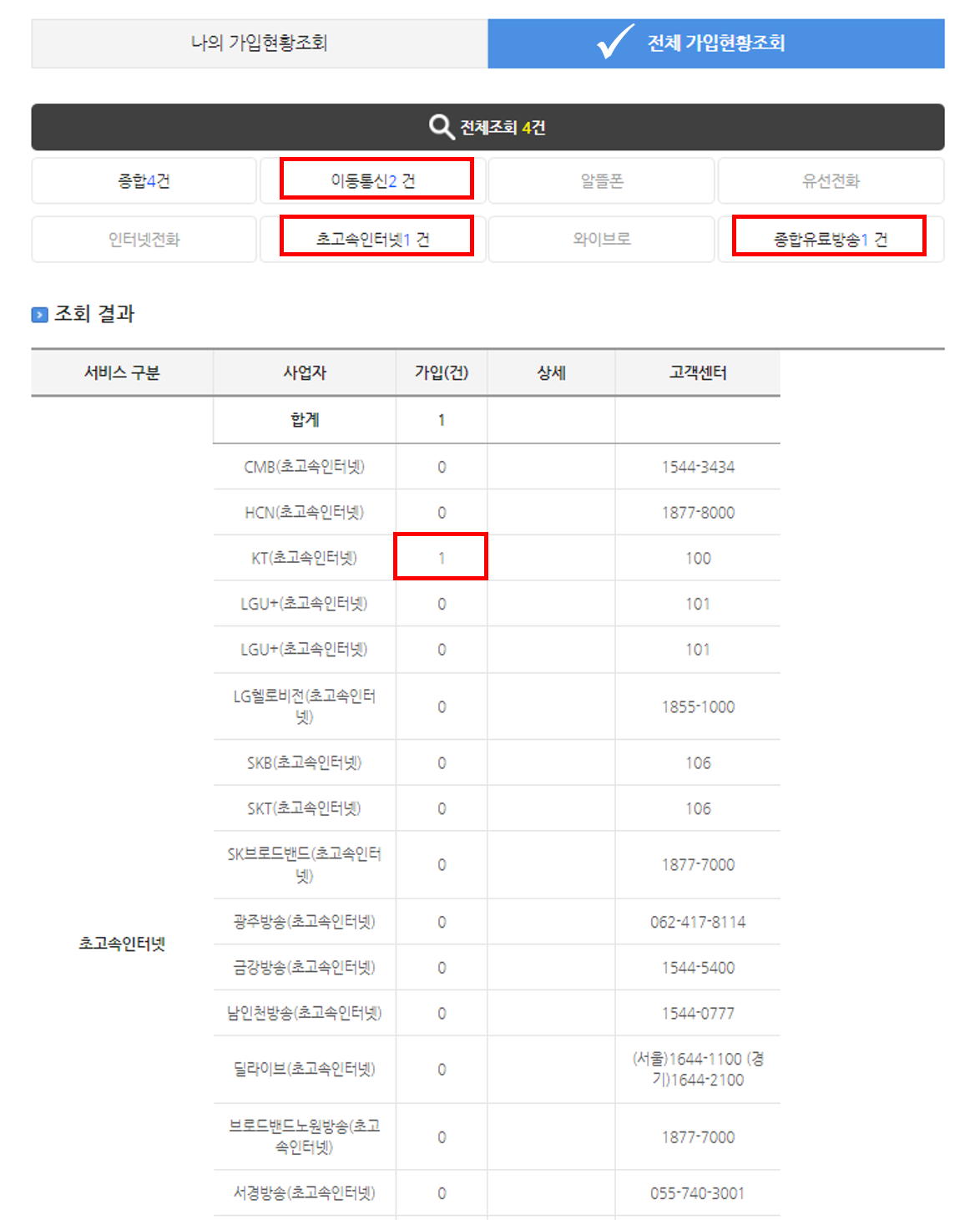
Clicking the "View All Subscriptions" tab allows you to see subscriptions for high-speed internet, cable TV, and more. Since these are your own subscriptions, it is important to check them carefully. If identity theft occurs or bills go unpaid, you can immediately confirm through Ms
Notes
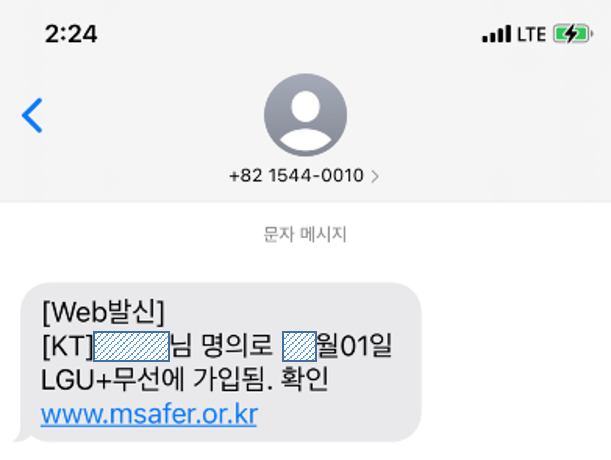
afer, and if a new activation occurs under your name, a text message will be sent immediately so you can verify it right away. Below is an actual text message I received.
- How to Use the Msafer Subscription Restriction Service There is another hidden feature: the [Subscription Restriction Service] menu. This feature allows you to restrict new subscriptions under your name. If you do not plan to activate a new phone for a while, it is recommended to select all carriers and apply restrictions to minimize risk. Many people are unaware of this feature and overlook it, so it is strongly recommended that you take advantage of the subscription restriction service.
In addition, if you purchase a new phone later, you must remember to log into Msafer in advance and
7th Information
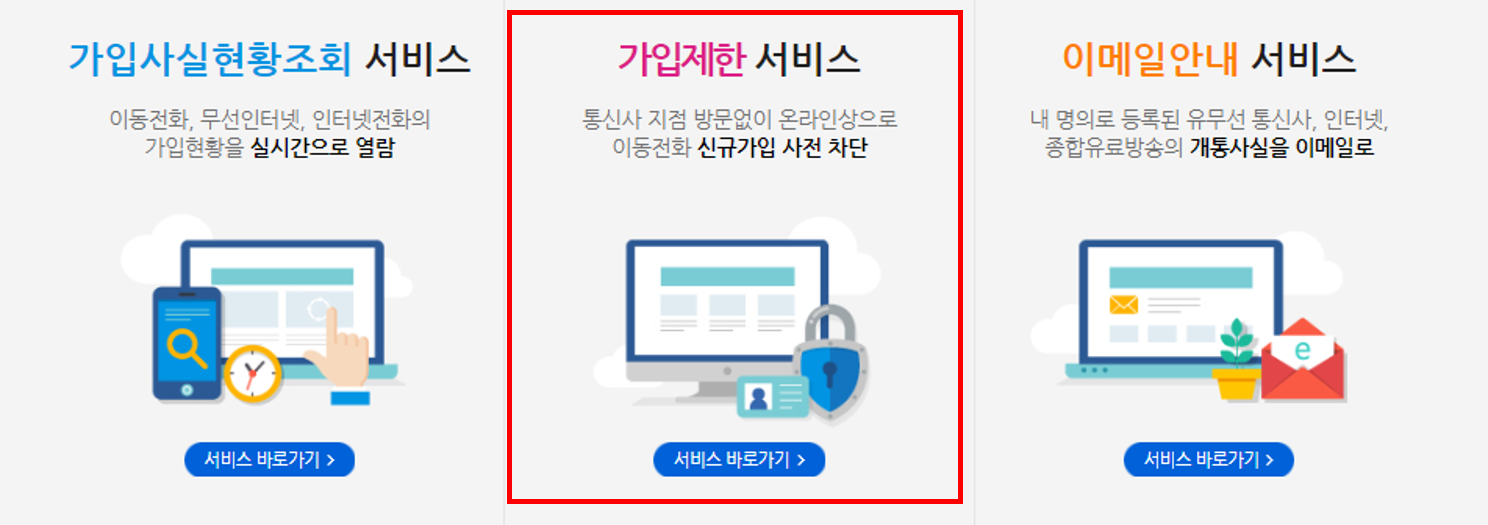
lift the subscription restriction beforehand. Otherwise, the restriction may block the activation process midway, resulting in a frustrating experience. Also, do not forget to re-enable the subscription restriction after completing the new activation.
Many people are either unaware of mobile phone identity theft or find managing it bothersome and neglect it. Since no one else will protect your personal information and assets, protecting them yourself is the safest and best approach. That concludes what I wanted to share today. This has been a guide on preventing identity theft through Msafer's identity theft prevention service sign-up and subscription inquiry.
Key Checks First
Recently, cases of personal information being collected and misused through mobile phones have been reported, including mobile banking, simple payment services, and phone numbers stored in vehicles. Readers looking for Msafer usually need both the immediate steps and a fallback path when something fails. Use the checklist below before changing an account setting, submitting a request, or relying on a third-party guide.
Before You Start
| Item | What to check |
|---|---|
| Official channel | App, website, customer center, government site, or service portal |
| Verification | Login, phone verification, certificate, or two-factor authentication |
| Timing | Instant change, same-day processing, or business-day delay |
| Cost | Fee, auto-renewal, refund window, or cancellation condition |
| Records | Confirmation number, screenshot, email, or text message receipt |
Troubleshooting Order
- Recheck the current official app or website before following an old screenshot.
- If the menu name has changed, search inside the service with the core keyword.
- For verification errors, update the app, clear browser cache, and try another browser.
- For payment, refund, cancellation, or account deletion, save the completion screen.
- If support is needed, include the date, payment method, device, and exact error message.
Important Notes
Convenience services often change menu names, verification flows, and refund rules. Treat old screenshots as references, not final instructions. For irreversible actions such as cancellation, refund requests, account deletion, or official applications, confirm the current policy before pressing the final button.
For related everyday guides, browse the tips list. If the topic involves money, fees, interest, or taxes, the calculator hub can help with follow-up math. For policy or market updates, check the news section.
Frequently Asked Questions
Which should I follow if the app and website show different steps?
Use the current official screen for the service you are logged into. For payments, refunds, and cancellations, also check the latest terms or customer-center notice before final confirmation.
What should I do if verification keeps failing?
Update the app, try a different browser, clear cache, and retry phone or identity verification. If the same error repeats, save the message and contact support with the exact time and device.
What proof should I keep after completing the process?
Keep the confirmation number, completion screen, email, text message, and payment or cancellation record. These records help if you need to prove the request later.
Are older guides still reliable?
They can explain the general idea, but the current official page should be treated as the source of truth. Menu names and policies change, so confirm the latest screen before acting.
Additional Tips
- For accurate information, consult a professional.
- For more details, please contact the relevant institution.
Time calculators to use next
Continue with calculators for h:m:s arithmetic, work hours, sleep planning, presentation timing, and world time.
Apply this to your portfolio
Calculate the optimal weights with the rebalancing calculator
Go to Rebalancing CalculatorHave any questions?